 EddyTor
EddyTor
EddyTor
Claude Code Skills are just folders with a Markdown file inside — which means they sprawl. EddyTor gives them a home: one window that finds every skill on your machine, shows which ones Claude is actually loading, and lets you install or edit any of them without touching a terminal.
Free for everyone · macOS & Windows · Works offline
ln -s into ~/.claude/skills and hope it worked With EddyTor
Point EddyTor at a folder — or your whole drive — and it builds a catalogue of every
SKILL.md it finds. The catalogue sticks around, so it is still there
next time you open the app.
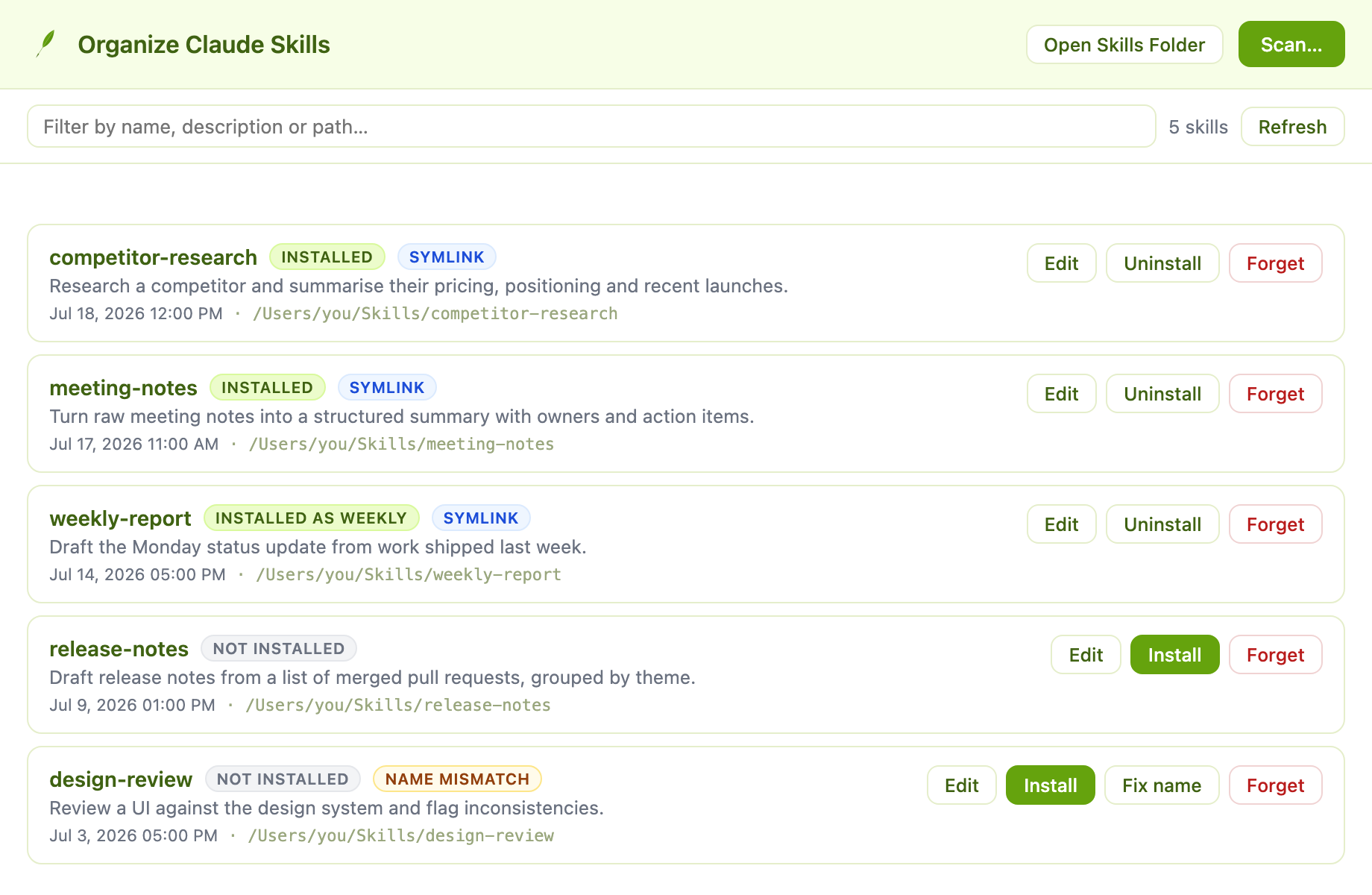
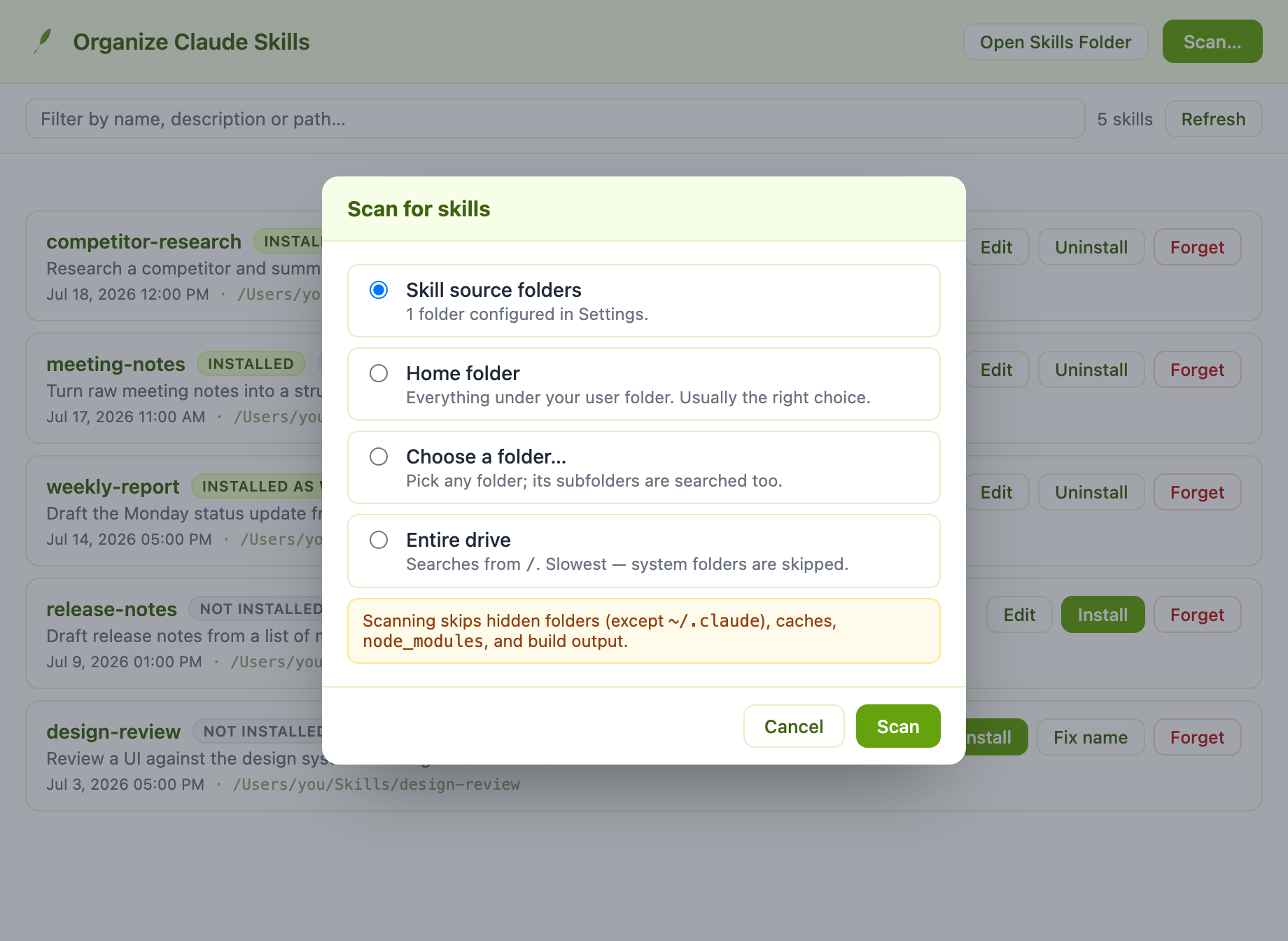
Scan your configured source folders, your home directory, any folder you pick, or the entire drive. Caches and build output are skipped automatically.
One click links a skill into ~/.claude/skills. EddyTor uses a symlink, so the skill keeps living where you wrote it — edit it there and Claude sees the change.
Open any skill straight into the editor. If it is already installed, EddyTor asks whether you mean the installed copy or the original file.
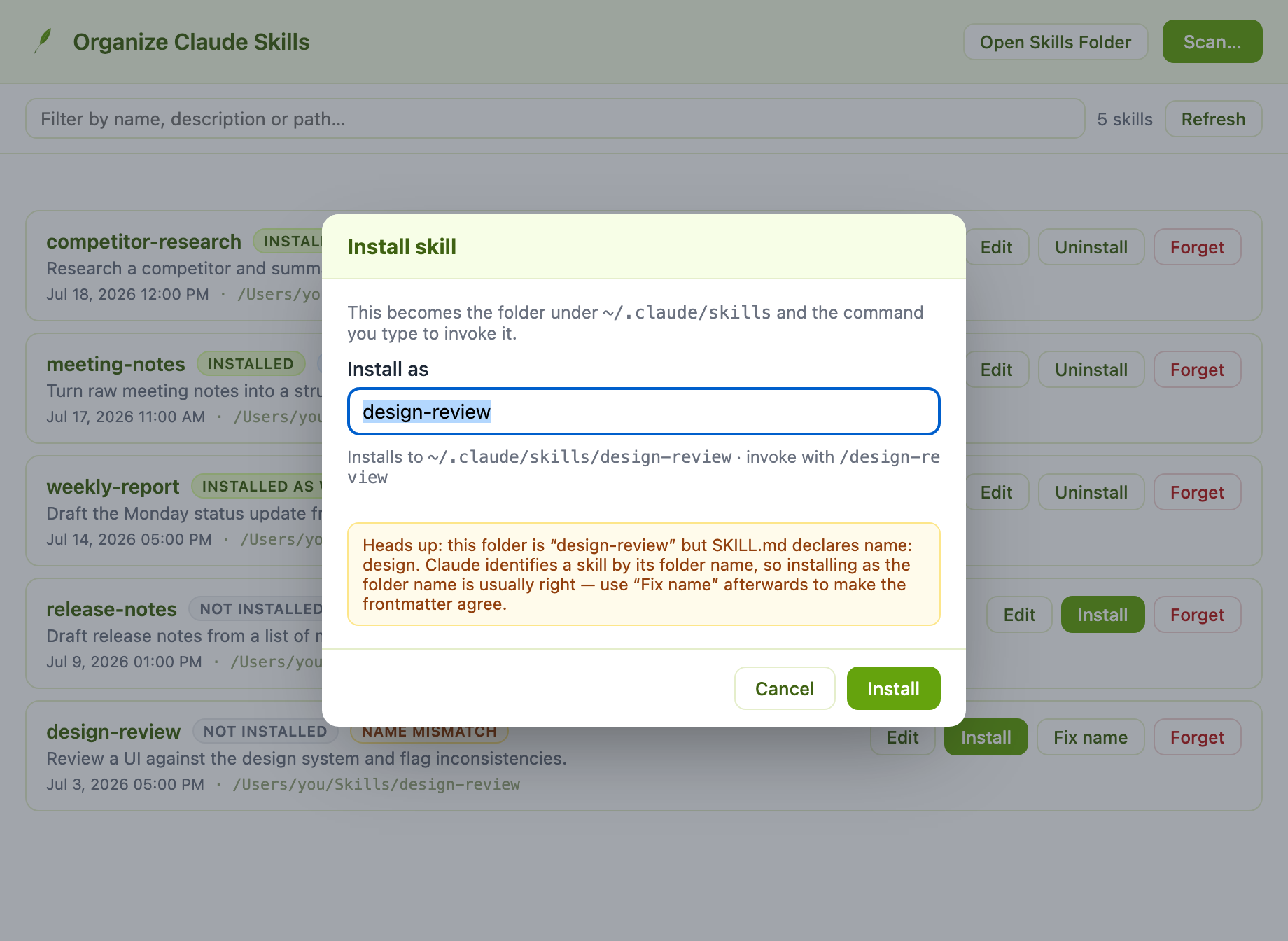
Claude identifies a skill by its folder name. When that disagrees with the name: in the frontmatter, EddyTor flags it — and can rewrite it to match.
The name a skill installs under becomes the folder in ~/.claude/skills
and the command you type to invoke it. EddyTor shows you both before you commit,
and refuses names Claude would choke on.
Every skill starts with a block of YAML that tells Claude what the skill is called and when to use it. Get a character wrong and the skill stops loading. EddyTor lifts the name and description into two plain text fields at the top of the window, writes the block back correctly on save, and leaves any other keys you have added untouched.
license, allowed-tools and friends survive a round trip.Open Claude → Organize Claude Skills and scan a folder, your home directory, or the whole drive.
Click Install on anything you want Claude to load, confirm the name, and it is linked into place.
Open any skill in the editor, change the wording, and save. Claude picks up the change.
Free for everyone — no account, no subscription. Native builds for macOS and Windows.
Skill installing via symlink is macOS and Linux only.